Embed body data into your product.
Sizewall provides a REST API for launching body measurement scans from your application, retrieving structured measurement data and optionally downloading a 3D body model.
Overview
Overview
Sizewall lets you launch scans directly from your app, receive a seamless redirect back when the user is done, get webhook notifications and retrieve structured measurements via REST. The 3D model in OBJ format is optional.
Why integrate Sizewall
- Launch scans directly from your app
- Seamless redirect after scan completion
- Real-time webhook notifications
- Structured measurements via REST
- Optional 3D model access
Integration flow
Integration flow
Six steps from user click to stored measurement.
- 01
Create profile
One profile per end user in Sizewall.
- 02
Create session
The session generates a one-time ticketUrl.
- 03
Redirect the user
Send the user to the Sizewall scanner in a browser or webview.
- 04
User scans
Two photos are captured and processed by our AI.
- 05
Redirect + webhook
We send the user back and ping your webhook.
- 06
Retrieve measurements
Measurement data and optional 3D model are fetched via API.
User Experience
User Experience
Two screens sit between your app and the Sizewall scanner — one to start, one when the user comes back.
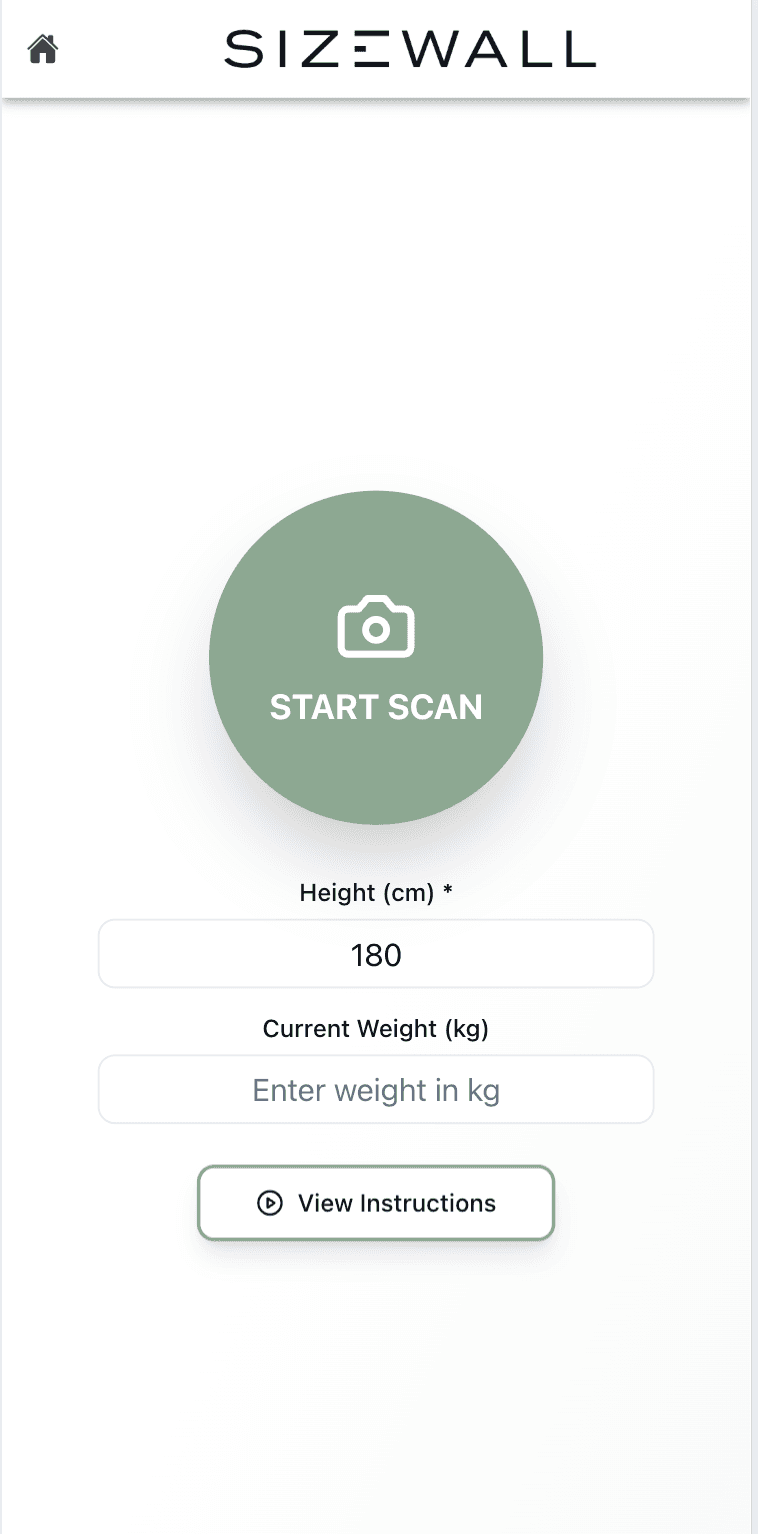
1. Start Scan
When your backend creates a session, it receives a ticketUrl. Open this URL in a browser or webview.
2. Back To Your App / Site
When scanning is complete, Sizewall redirects the user back using the redirect URL you provided.
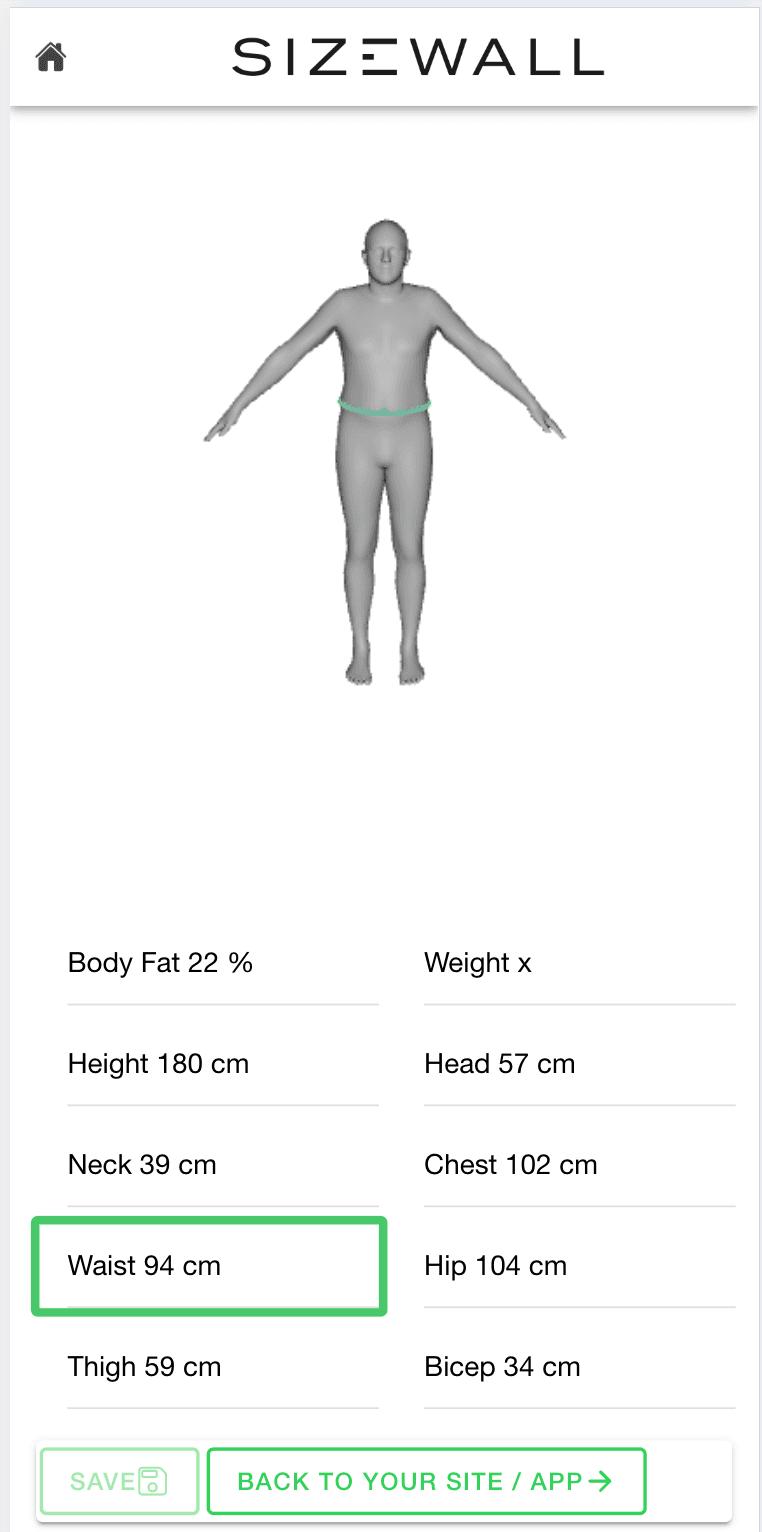
At this point your system can display a "Processing" or "Results ready" screen. You retrieve measurement data via API. We recommend listening for the webhook notification to confirm processing completion.
Concepts
Core concepts
Four resources make up the Sizewall API.
- 01
Profile
Represents a user in Sizewall. You create one profile per end user.
- 02
Session
A single scan attempt. Generates a one-time ticketUrl, supports redirect and webhook URLs, short-lived and single-use.
- 03
Measurement
Processed scan results — structured body measurements (waist, chest, hip, etc.) and optional composition values such as body_fat.
- 04
3D model
Optional OBJ (Wavefront) 3D body model generated from the scan. Available per measurement via a dedicated endpoint.
Authentication
Authentication
Sizewall uses secure machine-to-machine authentication via OAuth2 Client Credentials, issued through Microsoft Entra ID. All requests require a Bearer token in the Authorization header. Tokens are short-lived and must be refreshed before they expire.
Authorization: Bearer ACCESS_TOKENQuickstart
Quickstart
Seven steps from first call to downloaded 3D model.
- 01Create a Profile with user details
- 02Create a Session with redirect and webhook URLs
- 03Redirect the user to the ticketUrl in a browser or webview
- 04Handle the redirect callback and webhook notification
- 05Retrieve measurements via API once the scan is complete
- 06Map measurement data to your product experience
- 07Optionally download the 3D model in binary, Base64 or JSON format
curl -X POST https://api.sizewall.com/v1/profiles/{profileID}/sessions \
  -H 'Authorization: Bearer ACCESS_TOKEN' \
  -H 'Content-Type: application/json' \
  -d '{
    "redirectUrl": "https://app.example.com/scan/complete",
    "webhookUrl": "https://api.example.com/sizewall/webhook"
  }'
Webhooks
Webhooks
When a session completes, Sizewall POSTs to your webhook with the session.completed event. Each webhook includes a unique eventId — store processed IDs and check for duplicates before acting on the payload.
{
  "type": "session.completed",
  "eventId": "evt_01H9X...",
  "createdAt": "2026-05-25T09:14:21Z",
  "profileID": "prf_...",
  "sessionID": "ses_...",
  "measurementID": "mea_...",
  "status": "success",
  "error": null,
  "links": { "measurement": "..." }
}
Best practices
Best practices
- 01Create a new session per scan — sessions are single-use
- 02Use webhooks instead of polling for reliable notifications
- 03Store profile IDs to link measurements to users
- 04Handle redirects gracefully with loading states
- 05Keep tokens secure and refresh before they expire
- 06Implement exponential backoff for retries
- 07Use eventId for idempotent webhook processing
API reference
API reference
REST endpoints, grouped by resource.
Base URL
https://api.sizewall.com/v1
Authentication
Bearer token (OAuth2 Client Credentials, Microsoft Entra ID)
Profiles
- POST/profilesCreate a new profile
- GET/profiles/{profileID}Retrieve a profile
- PUT/profiles/{profileID}Update a profile
- DELETE/profiles/{profileID}Delete a profile
- GET/profiles/{profileID}/linkRetrieve or generate shareable link
- POST/profiles/{profileID}/linkGenerate a new shareable link
Sessions
- POST/profiles/{profileID}/sessionsStart a new session for a profile (optional webhookUrl)
- GET/profiles/{profileID}/sessions/{sessionID}Retrieve session details
Measurements
- GET/profiles/{profileID}/measurementsList all measurements for a profile
- GET/profiles/{profileID}/measurements/{measurementID}Retrieve a specific measurement
- DELETE/profiles/{profileID}/measurements/{measurementID}Delete a measurement
- GET/profiles/{profileID}/measurements/{measurementID}/modelRetrieve 3D model for a measurement
HTTP status codes
- 200OK (reads)
- 201Resource created
- 204OK (update / delete)
- 400Invalid input
- 401Missing or invalid token
- 404Not found
- 409Duplicate resource
- 410Webhook URL invalid
- 429Rate limit exceeded
- 500Server error
Use exponential backoff (max 3 retries) for 429 and 5xx.
OpenAPI
OpenAPI spec
Full machine-readable specification in OpenAPI 3.0 format.
Download OpenAPI YAML ↓Ready to start building?
Request API credentials and we'll help you get going.
Request access